Run 3D EMC Simulations
with Teema Studio
An innovative platform that integrates advanced capabilities for 3D EMC simulations. Thanks to an intuitive, user-friendly interface, it streamlines complex engineering workflows with detailed reporting and real-time monitoring tools.
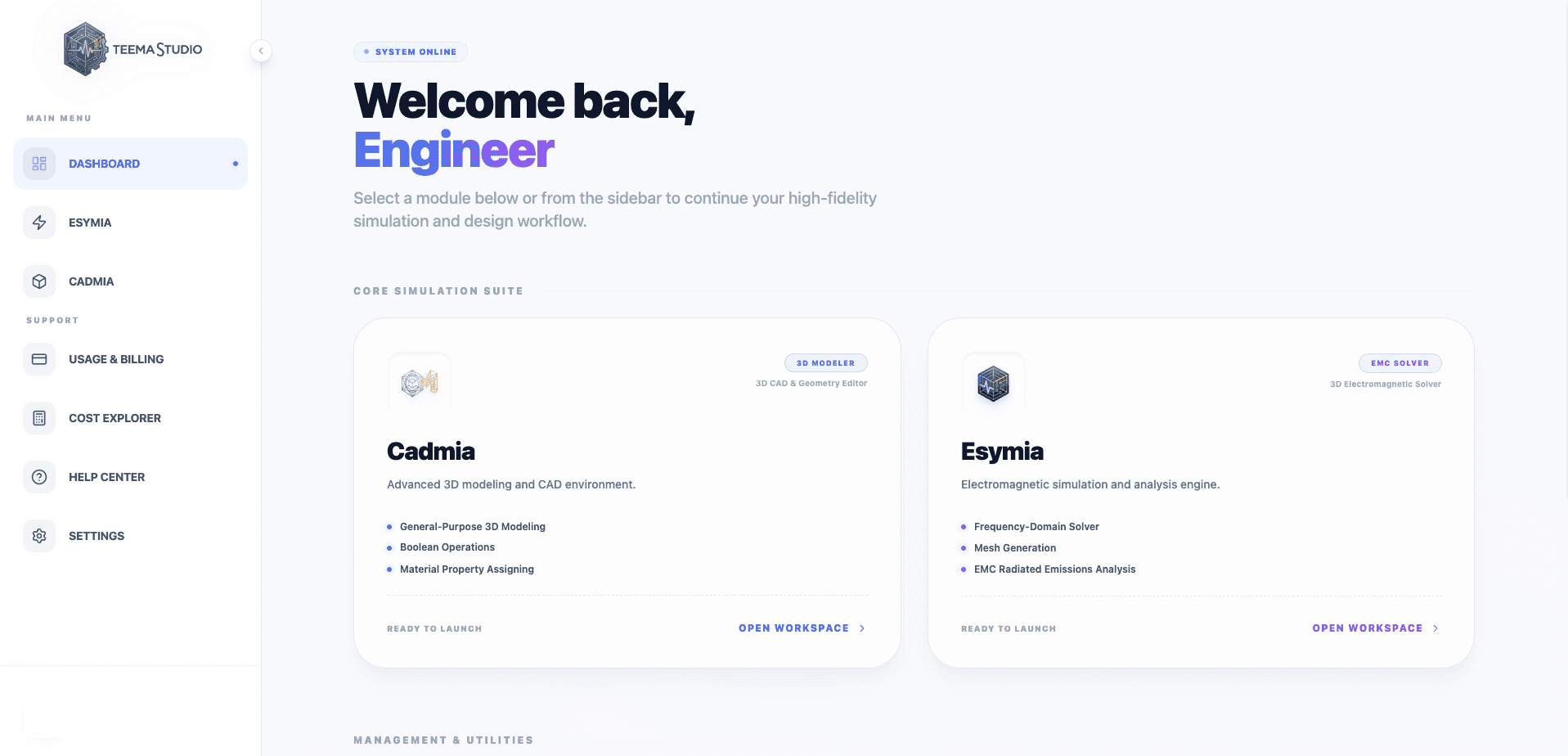
A Unified Environment for Your Engineering Workflow
Teema Studio combines the flexibility of a modern CAD with the power of an advanced solver. No need to switch between different software: create geometry, define physics, generate mesh, and solve, all in a single intuitive desktop application.
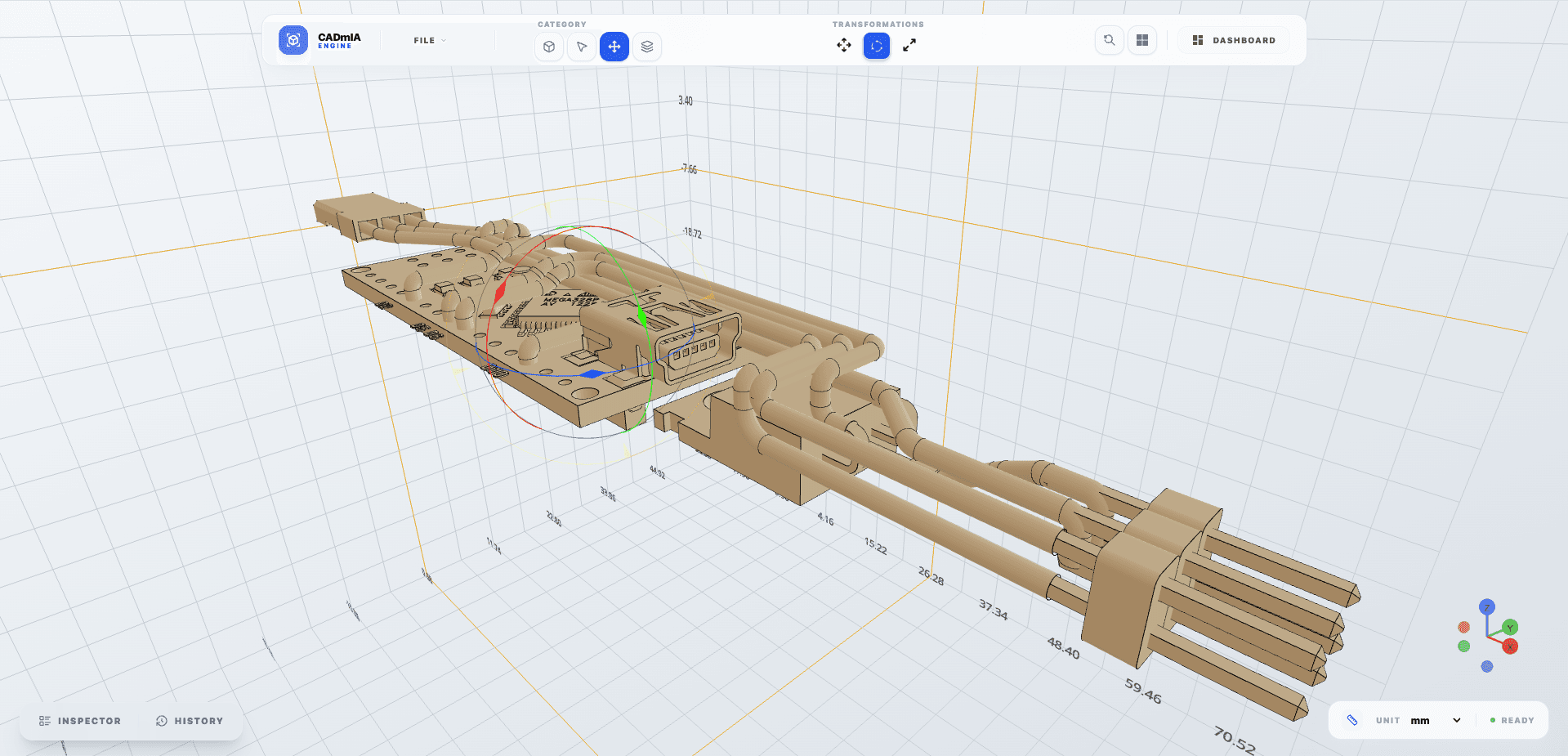
Cadmia: General-Purpose 3D Modeling
Domain-agnostic CAD — model anything, simulate anywhere
- General-Purpose CAD ToolsNot tied to any specific domain — design mechanical parts, enclosures, antennas, or any custom geometry with equal ease.
- Boolean OperationsUnion, subtract, and intersect solids to achieve the perfect shape, regardless of the engineering domain.
- Transformations & PatternsMove, rotate, scale, and create linear or circular arrays of your objects.
- Property ManagementAssign materials and properties independently from the solver — geometry stays portable across simulation workflows.
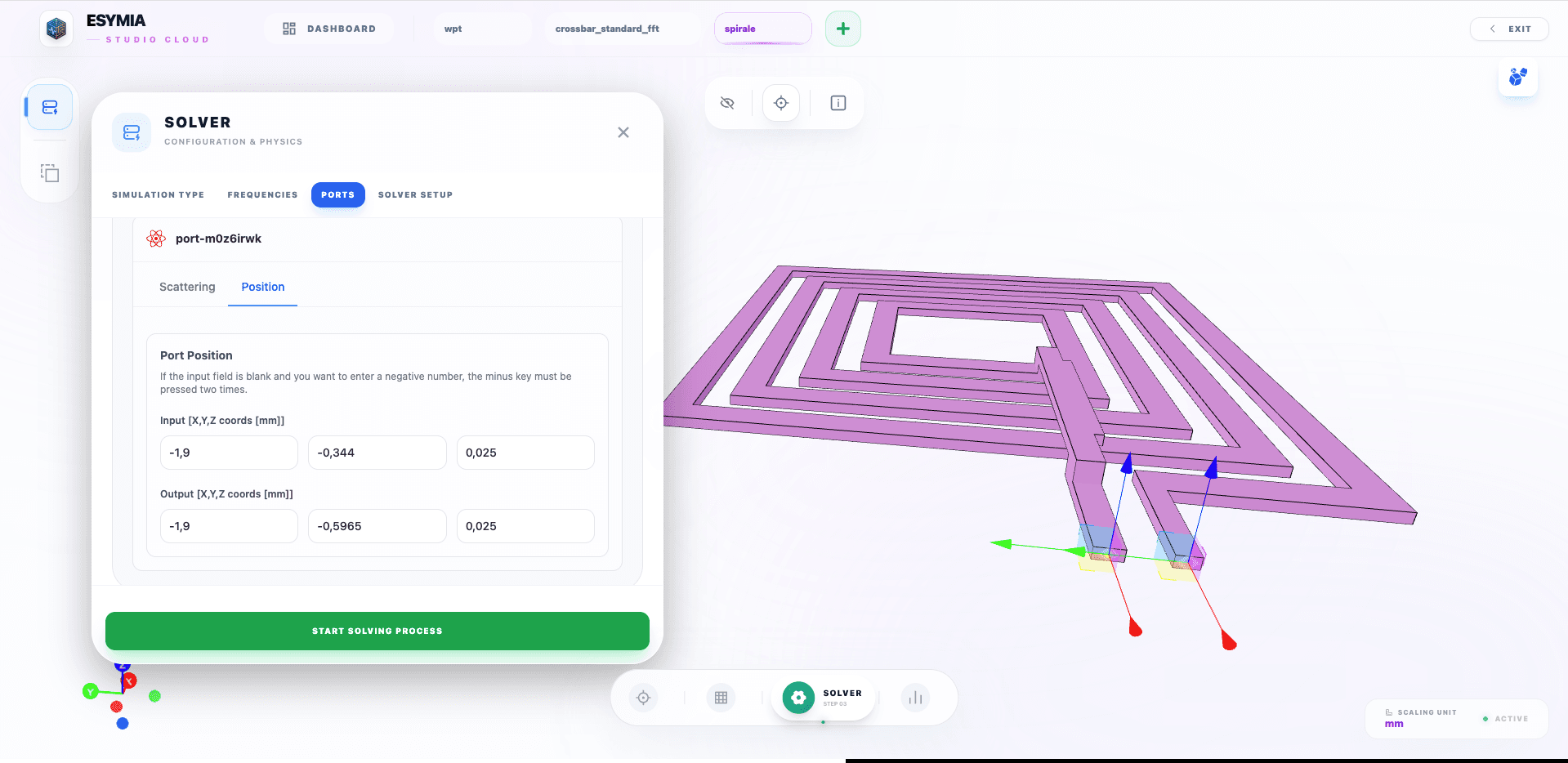
Esymia: Frequency-Domain Simulation & Analysis
Electromagnetic solver — desktop & web app
- Frequency-Domain SolverRun full-wave electromagnetic simulations in the frequency domain, ideal for RF, microwave, and antenna analysis.
- Intuitive Physics SetupEasily define ports, and boundary conditions — no solver expertise required.
- Advanced MeshingGenerate meshes optimized for frequency-domain simulation with real-time mesh status visualization.
- Desktop & Web AppAvailable as a native desktop application and as a web app — work locally or from any browser, no installation needed.
- Results VisualizationAnalyze S-parameters and field data directly in the interface with 3D charts and frequency-sweep visualizations.
Advanced Simulation Capabilities
Unlock the power of the PEEC method for specialized electromagnetic compatibility analysis.
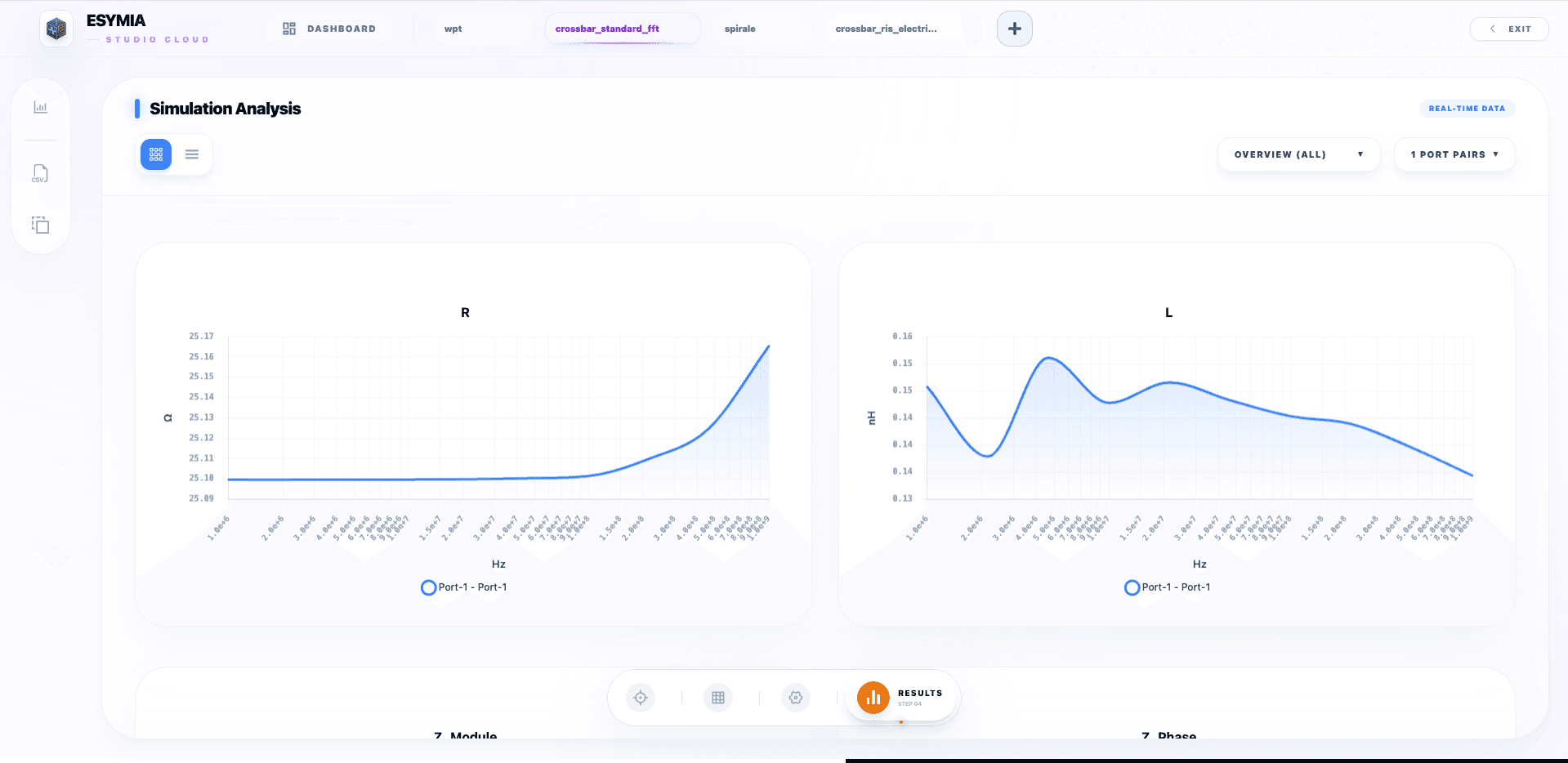
PEEC Matrix Extraction
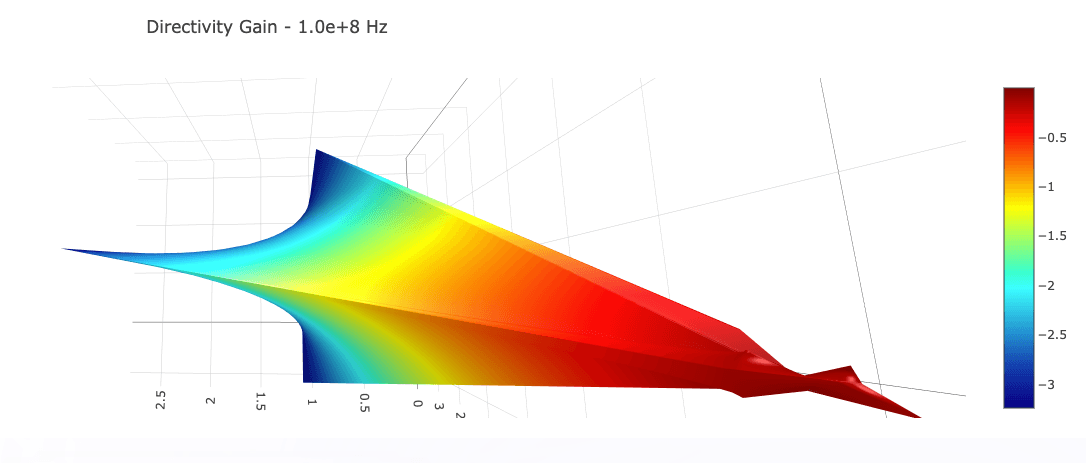
Comprehensive extraction of impedance (Z), scattering (S), and admittance (Y) matrices. Visualize complex electromagnetic behaviors.
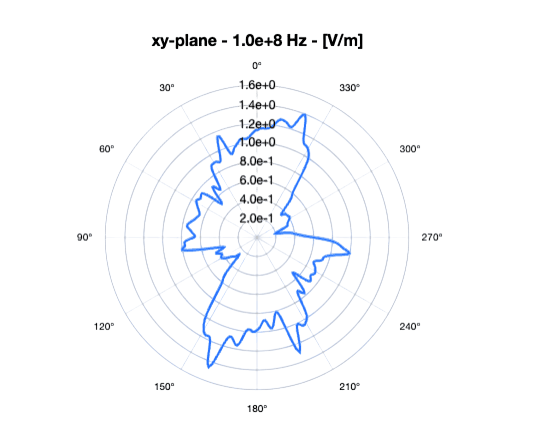
Electric Field Analysis
Visualize and analyze electric field distributions in both 2D cross-sections and full 3D space. Identify hotspots, coupling regions, and field gradients directly on your geometry — including specialized PEEC formulations for Reconfigurable Intelligent Surfaces (RIS).
Simulation Workflow
From design to results in six simple steps.
3D Model Creation
Design or import your complex geometries.
Import to Esymia
Seamlessly transfer models for analysis.
Mesh Generation
Automatic optimized meshing.
Configuration
Define physics and boundary conditions.
Launch Simulation
Run powerful solvers locally or in cloud.
Observe Results
Analyze data with 3D visualization.
3D Model Creation
Design or import your complex geometries.
Import to Esymia
Seamlessly transfer models for analysis.
Mesh Generation
Automatic optimized meshing.
Configuration
Define physics and boundary conditions.
Launch Simulation
Run powerful solvers locally or in cloud.
Observe Results
Analyze data with 3D visualization.
Master the workflow from CAD to Simulation
Whether you're a seasoned engineer or just starting, our comprehensive resources guide you through every step. Access detailed manuals, API references, and step-by-step video tutorials.
Knowledge Base
Deep dive into physics models, meshing algorithms, and solver configurations.
Learn moreVideo Academy
Visual walkthroughs covering real-world examples, from geometry import to post-processing.
Watch NowChoose Your Deployment
Powerful options for every workflow. Start locally, scale globally.
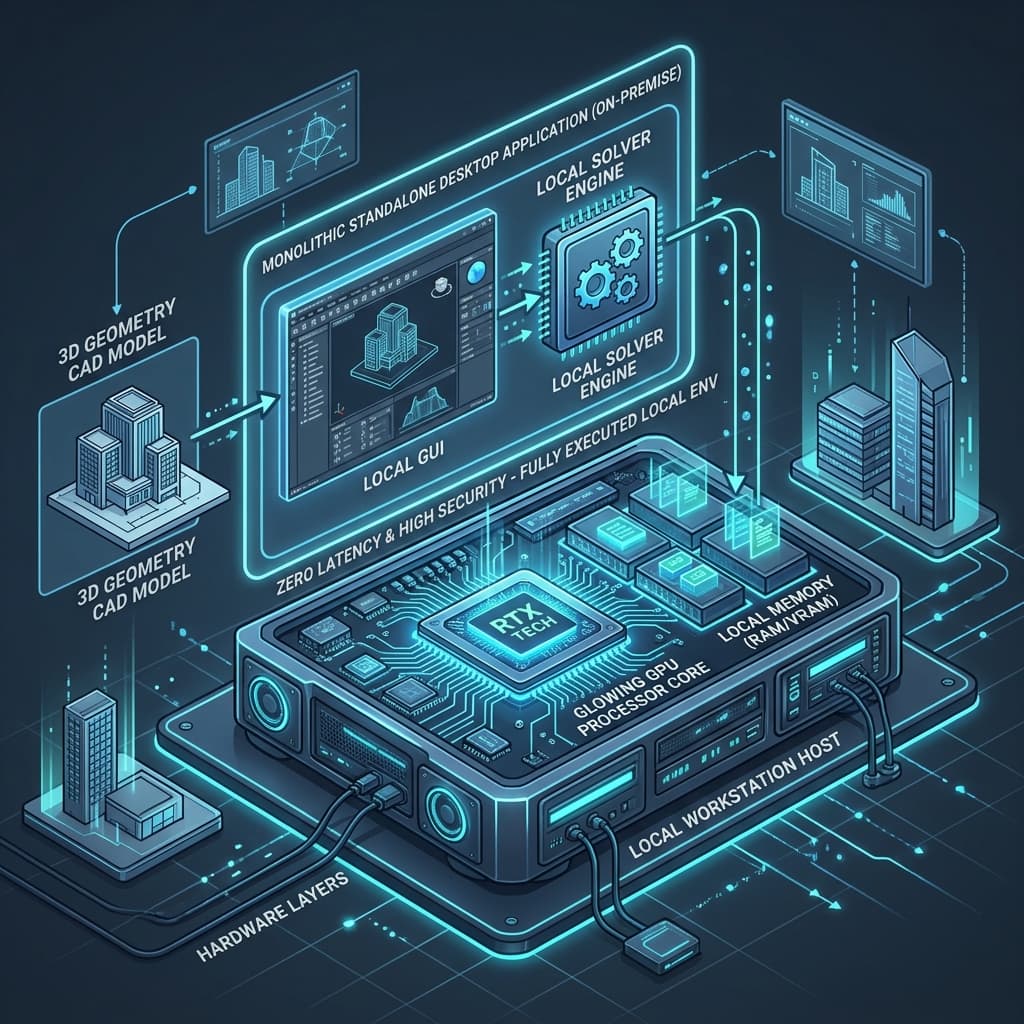
Monolithic Architecture
Standalone Desktop Application
Experience the full power of Esymia locally. Ideal for workstations with dedicated GPUs, offering strictly private simulation handling and zero latency interface interaction.
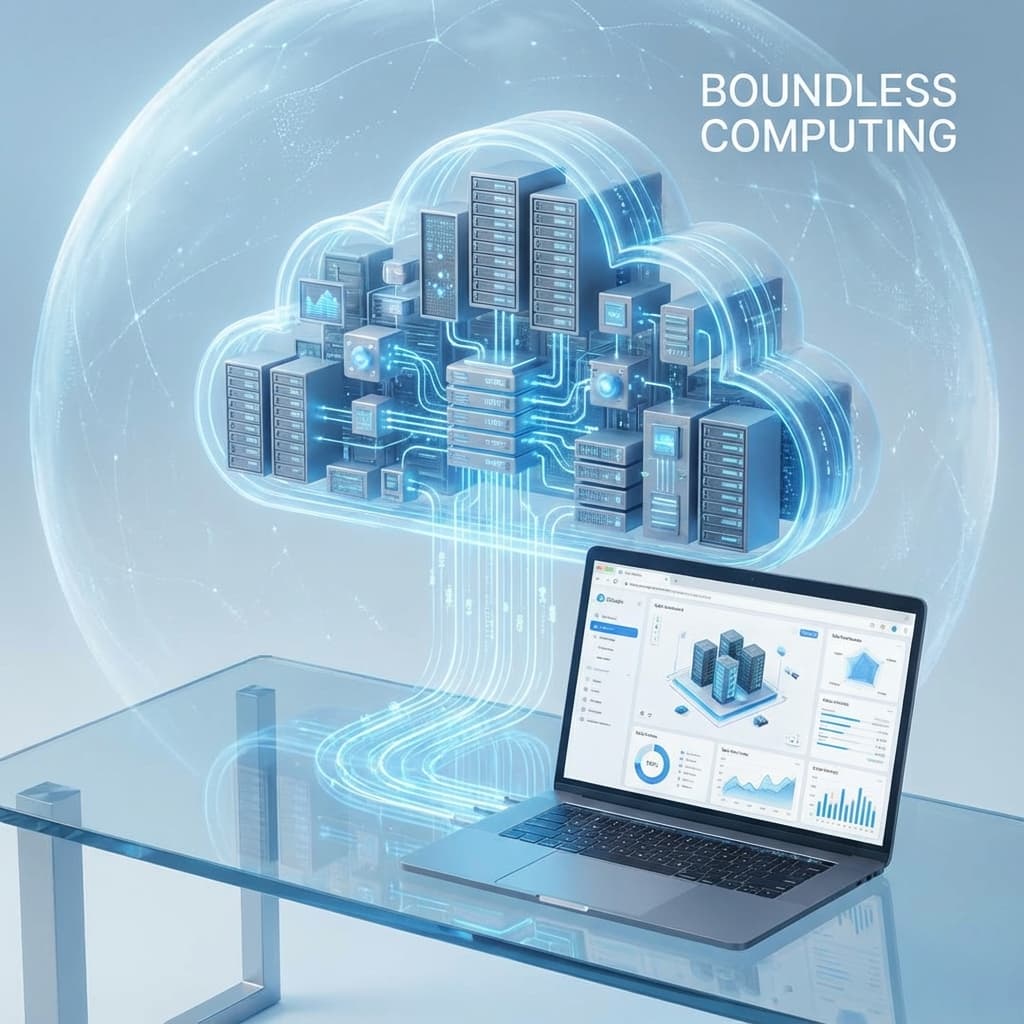
Cloud Architecture
SaaS Web Platform
Elastic scaling and team collaboration. Run massive simulations on our secure cloud infrastructure accessible from any browser, anywhere in the world.
Plans and Pricing
Access our elastic cloud platform with a pre-funded wallet, or run Teema on-premise.
Cloud Platform
Fully-featured web platform with wallet model
Start immediately. Every registered user gets access to a prepaid wallet that can be topped up. Billed precisely per second of actual simulation machine usage.
Desktop
On-premise local installation
Full offline local installation for air-gapped secure environments, custom integrations, and dedicated enterprise support.
Cost Explorer
Understand and predict your computational expenses with full transparency.
Pre-paid pay-as-you-go credit wallet model.
All solver computations and mesher resolutions are billed per-second directly from your credit wallet balance. A base machine starting fee is charged upon launching.
Compute tasks automatically stop if the wallet balance is depleted. Please refill your balance to ensure continuous calculations without interruptions.
On-Demand AWS
On-Demand AWS
WALLET CHARGES
Real-Time Balance Deductions
How it works
Transparent cost calculation
1. Select Machine
Choose from our XS to 3XL machine sizes tailored to your task.
2. Wallet Deduction
The base startup fee is securely validated and charged from your pre-paid credit balance.
3. Active Compute
Your simulation runs on high-performance AWS Spot or On-Demand instances.
4. Per-Second Ticker
Credits are deducted in real-time for each second of active solver/mesher computation.
5. Real-Time Stop
Execution stops instantly and safely if credits run out, preventing overdrafts.
Simulation / Solver Pricing Reference
Real-time solver resource pricing
Mesher Pricing Reference
Real-time mesher resource pricing
Spot Rates (Recommended)
Spot instances leverage AWS spare computational capacity to provide massive discounts (typically 60-70% cheaper than On-Demand). They represent the most cost-effective solution for everyday simulation tasks.
On-Demand Rates
On-Demand instances offer guaranteed, highly reliable cloud compute resources with a 100% uninterrupted run commitment. Billed at standard AWS rates without capacity reclaim scenarios.